
Power that
moves with you.
Meet DAZY. Modular power that connects neighboring workstations, keeps cables in order, and adapts as your workspace changes.
NEW Meet the Coiled Jumper Cable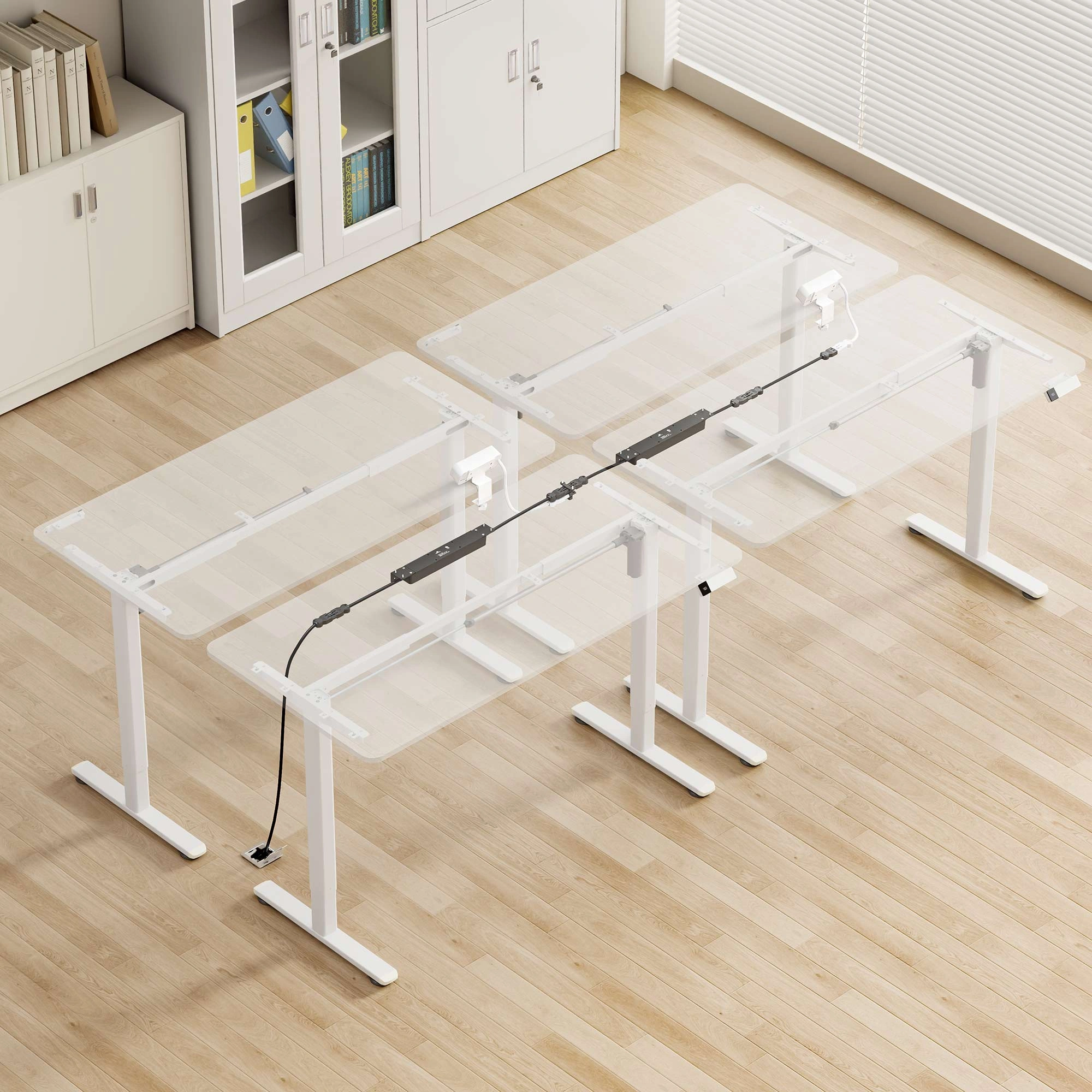
Many workstations.
One thoughtful approach.
Every desk needs power. Every desk doesn’t need its own cord running to the building outlet. DAZY connects compatible power modules through purpose-built interlinks, bringing power closer to people and keeping the distribution organized below.
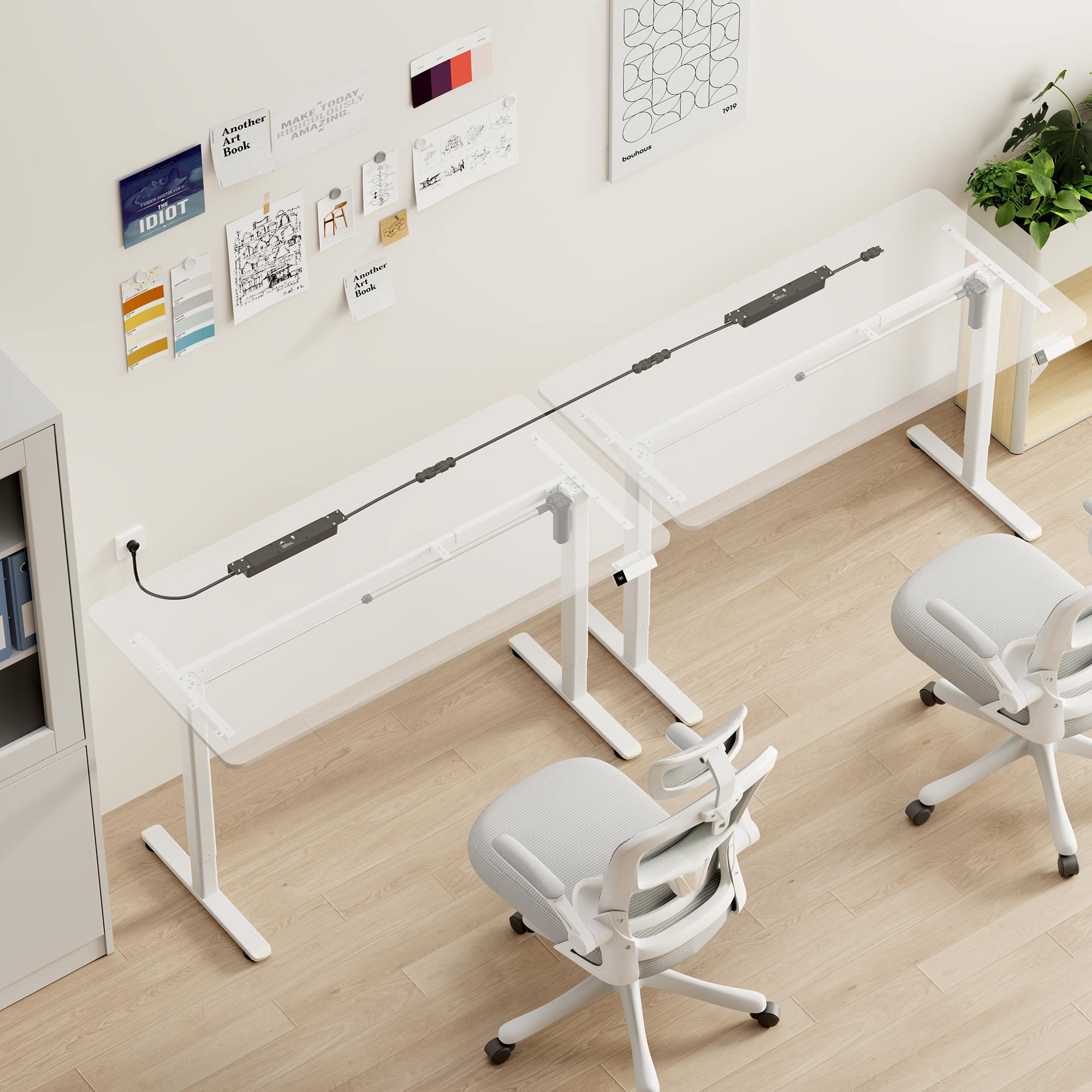
Connected below.
Clear above.
Power your equipment under the desk. Put everyday charging within reach on the desktop.
Explore the componentsPower in. Possibilities out.
A modular path from the building’s power source to the places people work. Select a step to follow the flow.
- Building power sourceFeeds the DZY-P power module
- DZY-P · workstation 01Power feed + on-surface Watt
- Coiled jumperLinks the desk-edge pigtails
- DZY-D · workstation 02Linked module + on-surface Watt
The DZY-P brings power from the building receptacle into the DAZY system through its power plug. This is the power-in module at the first workstation.
Different heights.
Still connected.
Desks move independently. The connection moves with them. A flexible coiled jumper extends and retracts as neighboring worksurfaces change position.
The coil.
The connectors.
The freedom to move.
See the actual DAZY jumper up close. The spiral cable provides the flexible span between neighboring desks, while its male and female GST-style ends connect to the compatible pigtails near each desk edge.
Both desks low. The coiled jumper rests in a relaxed loop.
A flexible bridge,
right where it belongs.
Short pigtails bring the module’s GST-style connections toward adjacent desk edges. The coiled jumper plugs into those mating connections, so the flexible span sits between the desks.
- Independent movementAllow adjacent desks to sit at different heights within the jumper’s designed movement range.
- Controlled cable lengthThe spiral cable extends with movement and gathers back into a compact loop.
- Accessible connectionsPosition the mating connectors near the desk edges, away from the center of the worksurface.
Illustrative movement only. Slider positions do not represent dimensions or an approved extension range. Confirm jumper travel, routing, and connector compatibility for your installation.
Power you can
actually reach.
Keep everyday power and charging right on the desktop. The DAZY on-surface Watt clamps to the worksurface, putting AC outlets and USB charging within easy reach while connecting into the DAZY system below.
Above the desk for everyday access. Below the desk for connected distribution.
Explore on-surface Watt optionsDZY-P brings power in.
DZY-D carries it on.
Both provide six AC outlets beneath the worksurface. The difference is how they connect to the power source and the rest of the DAZY system.
Start at the source.
The DZY-P includes a power plug to bring electricity from a building receptacle into the system. Its modular connection lets you link to compatible DAZY components.
- Includes a building-receptacle power plug
- Modular connection for the DAZY system
- Six AC outlets · screw-mounted
Connect the next workstation.
The DZY-D has modular connectors at both ends, without a built-in wall plug. It receives power through a compatible DAZY connection and links onward through the system.
- GST-style modular connections at both ends
- Receives power from a compatible DAZY feed
- Six AC outlets · screw-mounted
Example connection path. Select compatible linking components and confirm the total connected load and permitted configuration for your project.
Small parts.
A bigger system.
Build a coordinated power path with components selected for your furniture, equipment, and layout.

DZY-P + DZY-D under-desk modules
Both six-outlet modules mount beneath the worksurface. DZY-P brings power in through its building-receptacle power plug. DZY-D uses modular connections at both ends to receive power from a compatible DAZY feed and link to another workstation.
DAZY list pricing.
USD list prices from the ClearSpace 2026 price guide. Choose the modules and cables that fit your layout.
| Component | Model | USD list price |
|---|---|---|
| DAZY to Power module | DZY-P | $179 |
| DAZY to DAZY module | DZY-D | $209 |
| On-surface Watt · clamp mount | WDZ-x-CM | $229 |
| Watt · under mount | WDZ-x-UM | $229 |
| Table-to-table cable | CBLT-6 | $119 |
| Power-to-table cable | CBLP-9 | $139 |
For Watt models, x denotes the finish: B for black or W for white. Components priced individually.
A natural fit for
spaces that evolve.
Benching & shared offices
Interconnect neighboring workstations and reduce separate cords running back to the building’s power source.
Height-adjustable desks
Use the coiled jumper to bridge desks that move independently, with travel and routing matched to the installation.
Collaborative environments
Plan power as part of the furniture layout, with a coordinated system that supports future reconfiguration.

Beautifully clear.
Let’s make
the connections.
From first concept to the final layout, our team can help you choose the right DAZY components.
What makes DAZY different from a power strip?
DAZY is a coordinated system of power modules, supply cords, interlinks, and connectors. Local outlets power workstation equipment, while compatible linking components distribute power to neighboring modules.
How does the coiled jumper work with adjustable desks?
Short module pigtails place the mating GST-style connections near adjacent desk edges. The jumper forms a flexible bridge that extends and retracts as the desks move relative to one another. Movement must remain within the cable’s confirmed operating range.
Can I put power above and below the desk?
Yes. Under-desk modules provide six AC outlets for equipment. The clamp-on desktop module adds two AC outlets, one USB-A port, and one USB-C port for accessible charging and power.
How many workstations can I connect?
The allowed configuration depends on the selected components, total connected load, supply, and confirmed system ratings. Ask ClearSpace to verify the module count and electrical requirements for your project before specifying the installation.
Are all GST-style connectors interchangeable?
Use the compatible DAZY components specified for your system. A similar connector shape alone does not establish electrical or mechanical compatibility. ClearSpace can confirm the correct cords, connectors, and jumper for your layout.
What should I confirm before specifying DAZY?
Confirm the maximum connected module count, total load and electrical ratings, applicable listings and certifications, connector compatibility, and the coiled jumper’s allowable extension and movement range. Also confirm mounting locations and cable routing for the furniture selected.
What’s the difference between DZY-P and DZY-D?
DZY-P is the “Dazy to Power” module, with a power plug for the building receptacle and a modular DAZY connection. DZY-D is the “Dazy to Dazy” module, with modular connectors at both ends and no built-in wall plug. Both provide six AC outlets beneath the desk; choose them according to where power enters and continues through your layout.
Connect your workspace.
Clear the way.
Bring us your layout. We’ll help you plan a coordinated DAZY power system around your people, furniture, and equipment.


